Deadly Days: Roadtrip Save File Location, Backups, and Demo Transfer
How Deadly Days: Roadtrip handles save slots, automatic backups, Steam Cloud sync, and carrying progress from the Demo and Early Access into the full game.
Deadly Days: Roadtrip manages progress through multiple in-game save slots backed by automatic recovery files, syncs saves on Steam (app ID 3026450) via Steam Cloud, transfers Demo unlock progress into the main release, and keeps Early Access savegames working in version 1.0. Pixelsplit’s announcements on Steam and the extracted Unreal Engine game files do not document a manual local folder path for Windows or Steam Deck, so manage profiles through the in-game slot selector and cloud sync instead of editing raw files by hand.
For core roadtrip loop basics, backpack layout, and early run priorities, start with the Deadly Days: Roadtrip beginner guide.
Save slots, automatic backups, and cloud sync
Update 0.18 added savegame management with multiple save slots on one device, letting several players keep separate runs or letting you start over without erasing an older save. Inside the “Select save slot” screen, you can switch profiles or delete a slot, though the delete prompt warns that removing a save slot cannot be undone. In shared profile sessions, the game warns that progress saves to the Main Profile only, while round-end stats stay separated between saves.
Patch 0.16.2 overhauled save persistence so every save writes through a temporary file, retains a backup of the last stable save, and reverts automatically to the last working file if an error happens. Update 0.20 strengthened that system with additional backups, more atomic input-output writes, and a fix for saves that might not finish before closing the game. When a write still stalls or fails, the game surfaces a “Save Failed” warning noting that saving took too long or could not complete.
Several later patches cleaned up edge cases around slot switching and deletion. Hotfix 0.18.5 fixed achievement progress failing to save after switching save slots, cleared stale save slot menu data, and made slot deletion return to your most recently played slot rather than creating a new empty slot right away. Patch 0.22.1 fixed the delete button showing on the wrong slot after removing a selected save, and version 1.0 fixed deleting the first save slot when an older first-slot save file remained.
On Steam, app ID 3026450 lists feature category 23 for cloud syncing across PC and Steam Deck, while the Xbox Series X|S and Windows PC release supports Xbox Play Anywhere so a single purchase works on both platforms. For full console, controller, and handheld setup details, see Platforms, Consoles, and Steam Deck.
| Save Feature | How It Works | Key Details |
|---|---|---|
| Save slots | Multiple separate saves on one device | Switch or delete in the slot menu; deleting is permanent |
| Automatic backups | Temporary file write plus last-stable backup | Reverts to the last working save on error; hardened in 0.20 |
| Cloud sync on Steam | Enabled for Steam app ID 3026450 | Listed under feature category 23 in Steam store data |
| Mid-run persistence | Saves at day start and day end | Quit runs display as Abandoned in run history |
| Demo transfer | Demo unlock progress carries over | Full release opens Demo-locked unlocks, biomes, and characters |
| Early Access to 1.0 | Existing savegames work in 1.0 | First load can unlock queued achievements and play the new intro |
Demo to full game transfer
Before launching Early Access, Pixelsplit stated that unlock progress from the public Demo (Steam app ID 3102400) transfers over to the main game. At release, the Demo contained 41 items (including 11 weapons), 4 biomes with over 13 procedurally generated maps, 3 playable characters, 6 enemy types, 5 power-ups, and 1 boss, with the Steam Next Fest update on June 9, 2025 adding more items and an extra playable character.
In the extracted game data, earlier one-time workbench unlocks such as  Toy Box (2 Duct Tape) and
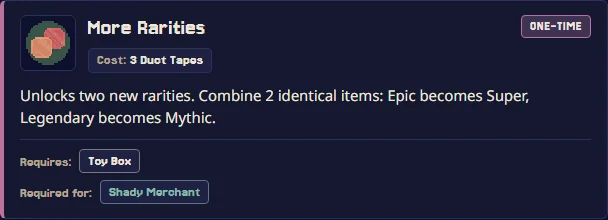
 More Rarities (3 Duct Tape, requiring Toy Box so two identical Epic items combine into Super and two Legendary items combine into Mythic) have no Demo lock. Moving to the full version removes the Demo lock (“Not in demo”) on deeper base unlocks, including
 Copy Shop (1 Duct Tape),
 Costume Shop (4 Duct Tape),
 Item Banishing (4 Duct Tape), and
 Shady Merchant (4 Duct Tape, requiring
 Merchant and More Rarities).
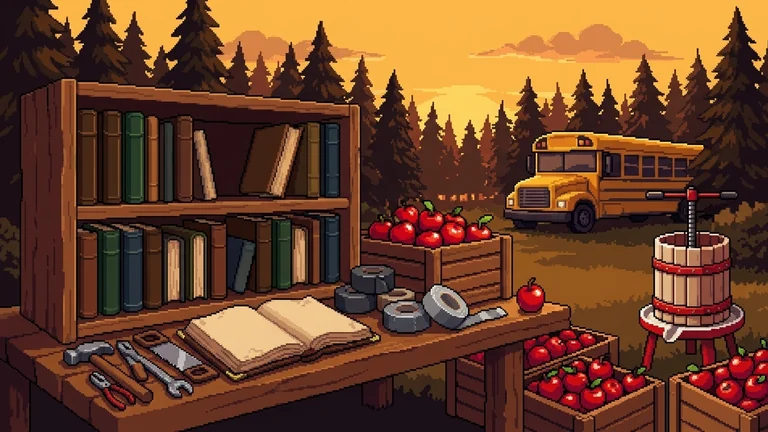
See the guide on Duct Tape and Apples to learn how both base currencies fund one-time unlocks and incremental upgrades.
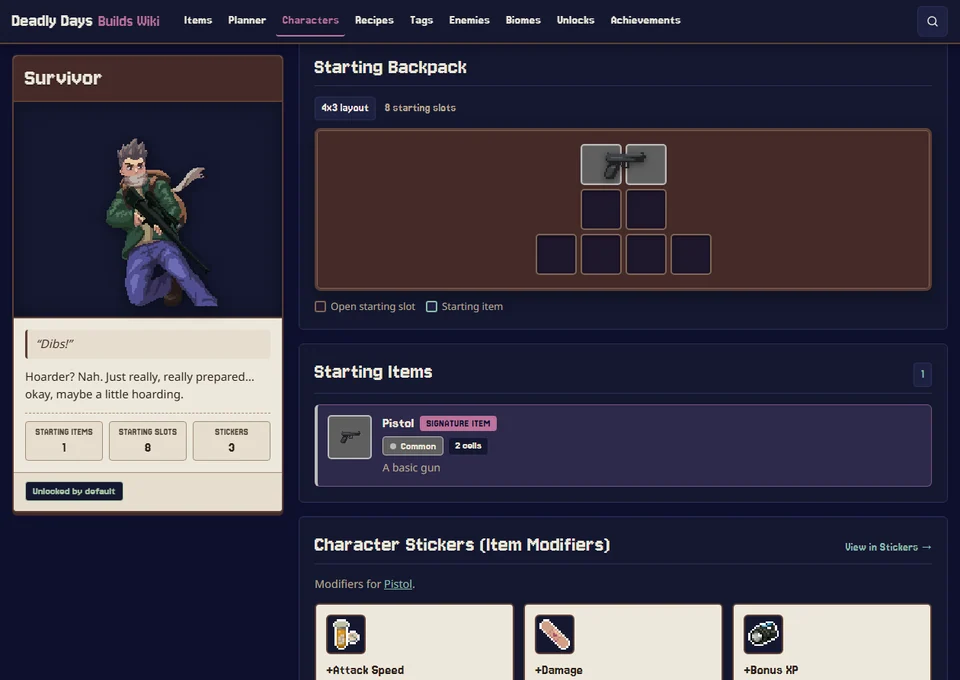
Every fresh save starts with  Survivor, who brings a
 Pistol and signature character stickers (
 +Attack Speed,
 +Damage, and
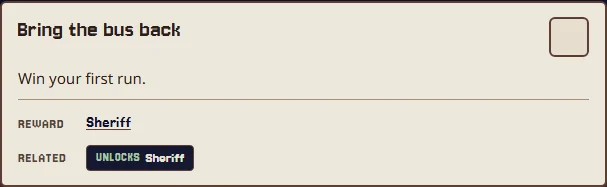
 +Bonus XP) purchased with Apples that persist across runs. Across the Characters roster, winning your first run completes Bring the bus back to unlock
 Sheriff, while Demo-locked characters including
 Astronaut,
 Bushy,
 Chicken,
 Santa,
 The Carver, and
 Vampire become unlockable in the full version.
Early Access to full release carryover and retroactive unlocks
Early Access savegames carry straight into version 1.0, which shipped as a free Steam update for all Early Access players. Loading an existing save in 1.0 for the first time can trigger a burst of achievement popups and plays the new background story intro video. Version 1.0 also added more than 30 new goals to the Achievements list, with several achievements awarding Apples or Duct Tape in the base camp.
Several updates added migration and retroactive fixes for older saves:
- Patch 1.0.1 stopped
 Laz from taking unusually long to show up on pre-1.0 saves that had already cleared the end boss, and fixed a rare crash triggered when a saved backpack held an item from a newer game version.
- Patch 1.0.2 updated
 Paper trail so bosses you already beat grant their missing memo on first launch after updating (fixing
 Dumpling memos dropping outside the arena), and stopped
 Disruptive Innovation from visually resetting after building the bomb.
- Earlier patches fixed Apple Press currencies failing to save properly in Patch 0.16.2 and cleared old saves still displaying workbench attention bubbles before unlocking the workbench in Patch 0.22.1.
Mid-run saves, version warnings, and resetting progress
Run persistence was added at Early Access launch and saves automatically at the end of a day and at the beginning of a day so you can leave between stops and resume later. Patch 1.0.1 stopped mid-run exits followed by a later continue from skipping a boss in the boss order, and changed run history so quit runs display as Abandoned instead of Defeated. Selecting “End Run” returns you to base with permanent upgrades and unlocks intact, though losing or abandoning a run before its first boss win lowers MKing Response Level by 1 in version 1.0.
Loading a save from an older game version shows an incompatibility warning and turns off online leaderboard submissions for that run, and resuming a Weekly Challenge save from an earlier week likewise skips leaderboard submission. Major balance updates such as Patch 0.15.1 have also reset Endless Mode leaderboards while keeping older rankings viewable at the base camp’s pre-wipe leaderboard. If you want to change upgrades without deleting a save slot, you can reset character item upgrades at the base camp’s character selection screen for a full Apple refund, while the separate “Reset tutorial” option sits in the Settings menu.